Hoover Fence - Vinyl Fence, Aluminum Fence, Ornamental Gates And Gate Operators
Home
| Programming
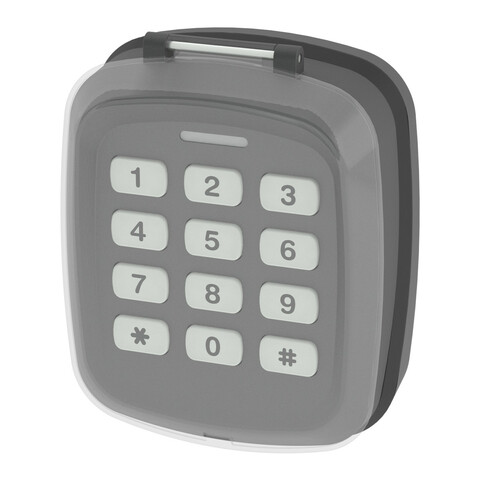
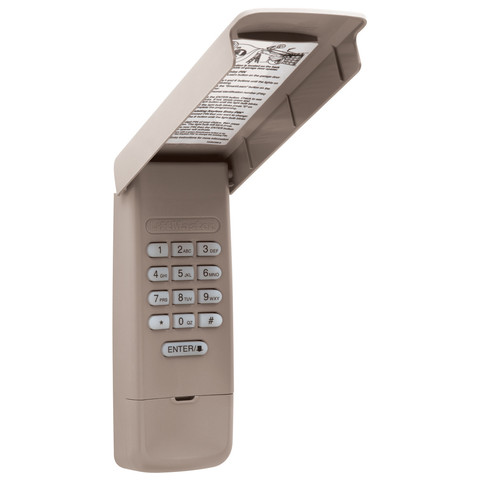
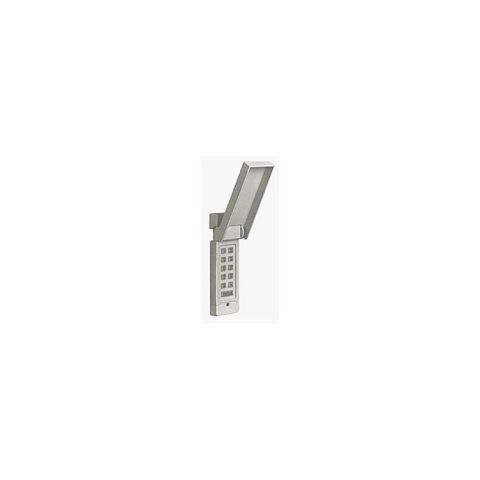
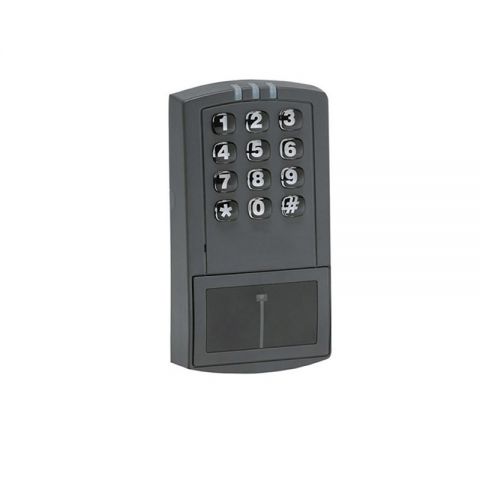
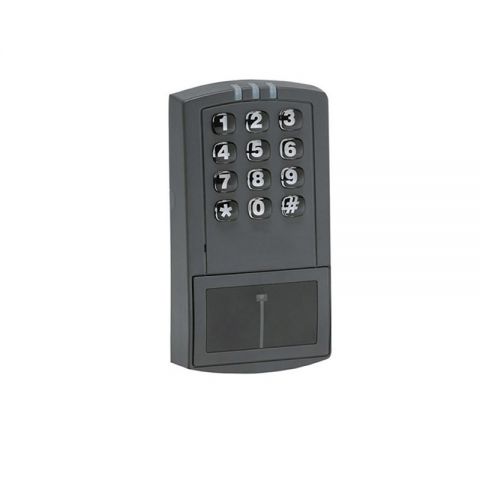
the Genie Intellicode Keypad |
Resetting your keypad
If, at any time, during programming, you should enter the
wrong PIN or make a mistake, you should reset the keypad to its factory setting.
- Open the keypad cover half way
- Press and hold the number 8 and the PROG buttons while opening
cover fully.
- The indicator light will blink once and go out.
- Close the cover. You are now ready to re-program your keypad.
Basic Programming
- Open cover fully Indicator will blink once on go out
- Press 3-5-7
- Press PROG Indicator will blink once per second
- Enter PIN 1 (up to 8 digits)
- Press PROG Indicator will blink twice per second
- Close cover. Your keypad is now ready to be programmed to the
garage door opener.
- Locate the Learn code button on your Intellicode/CodeDodger
garage door opener.
- Depending on model, the learn code button will be located
under the light cover or on the rear panel.
- Press the learn code button Learn code LED will flash
- Open cover on keypad fully
- Enter PIN number
- Press the SEND button 4 times, or until the door begins to
operate.
- You will now be able to use your wireless keypad normally.
Controlling
a single door with your keypad
- Open keypad fully
- Press PIN number
- Press SEND once
- Door should operate normally
NOTE: As a "panic" feature this keypad will operate
door for up to 30 seconds from any button.
Programming
multiple doors with your keypad
- Program your keypad according to the steps outlined in the
Basic programming section listed above.
- Open cover fully
- Enter PIN number
- Press PROG Indicator will blink once per second
- Press PROG Indicator will blink twice per second
- Press PROG indicator will blink three times per second
- Enter the total number of doors (2 or 3)
- Press PROG
- Close cover
- Your keypad is now ready to be program to the garage door
openers.
- Locate the learn code button on your garage door openers
- Press the learn code button once Learn code indicator will
flash
- Open cover on keypad fully
- Enter PIN
- Press SEND
- Enter door number 1-2-or-3
- Press send button 4 times, or until door operates
- Repeat these steps for door 2 and 3
Controlling
multiple doors
- Open cover fully
- Enter PIN number
- Press SEND
- Enter door number (1-2-or 3)
- Chosen door should operate
Adding PIN 2
- Open cover fully
- Enter 1-5-9
- Press PROG Indicator will blink once per second
- Enter PIN 2 (up to 8 digits)
- Press PROG Indicator will go out
- Close cover
- Your keypad is now ready to be programmed to the garage door
opener. See steps in Basic programming.
Adding temporary
PIN
- Open cover fully
- Enter PIN 1
- Press PROG Indicator will blink once per second
- Press PROG Indicator will blink twice per second
- Enter temporary PIN
- Press PROG Indicator will blink three times per second
- Close cover
- Your keypad is now ready to be programmed to the garage door
opener. See steps in Basic programming.
Canceling
the temporary PIN
The temporary PIN will remain active until PIN 1 is entered.
Changing a PIN
- Open cover fully
- Enter PIN to be changed
- Press PROG. Indicator will blink once per second
- Enter new PIN
- Press PROG
- Indicator will blink twice if PIN 1 has changed or go out if
PIN 2 was changed. Close cover. Your keypad is now ready to be programmed to the
garage door opener.
- Locate the Learn code button on your Intellicode/Codedodger
garage door opener. Depending on model, the learn code button will be located under
the light cover or on the rear panel.
C:\fencecom\public_html\hooverfence\server-side\fencecom-footer.htm
|
E-mail | Contact | Vinyl | Chain Link | Ornamental | Operators |
Terms of Use |
Return
Policy |
Shipping Policy |
Privacy Statement |
Brochure |
|
Important Disclaimer: Hoover Fence Co. strives to be accurate in
depicting all products featured on our website. Pricing, specifications,
and availability are subject to change without notice.
Copyright 1995-2012 Hoover Enterprises, Inc. - All Rights Reserved.
www.HooverFence.com. Striving to be the
largest online
fence and fencing materials retailer
and distributor or
chain-link fencing,
ornamental cast iron and aluminum fencing,
gate operators and
access control, garage door openers and
replacement parts, and
Vinyl (PVC) fencing for
swimming pool,
home and garden security,
dog kennels,
horses, farms, and ranches, We carry:
Bufftech™,
Jerith™,
Ultra Aluminum™,
Shapes™,
Age Craft™,
Superior Plastics™,
PrivacyLink™,
Master Halco™,
UniLatch™,
MagnaLatch™,
DoorKing™,
GTO/Pro™,
Aiphone™,
American Access Systems™,
Multi-Code™,
Stanley™,
LiftMaster™,
Linear™,
Genie™ and many others. |
|
 |