1-800-355-2335 |
Mon-Fri: 7:30am - 4pm EST |
Contact Us


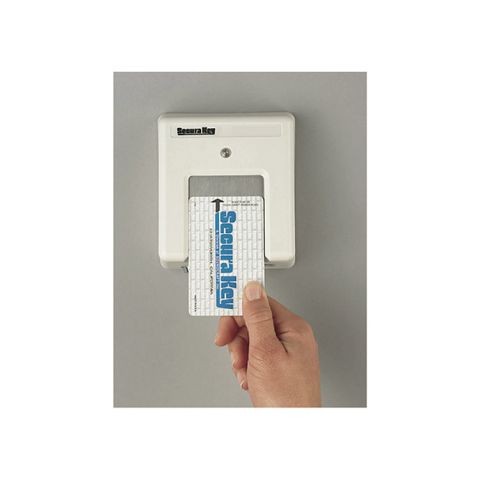
SecuraKey Stand Alone Touchcard Reader, Surface-mount Lexan Housing
Item # 26SA-SM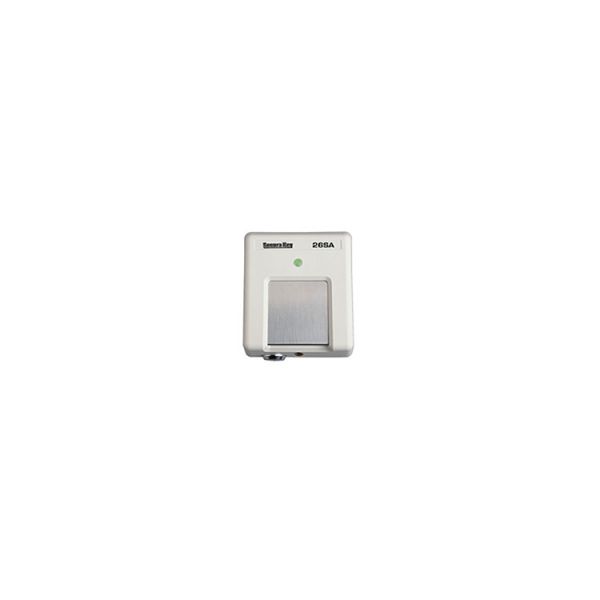
Details
Details
The SecuraKey 26SA card access control unit utilizes state of the art electronics in providing a unit that is both inexpensive and fully programmable. The patented slotless Touch Card reader is protected from weather and vandalism. Simply place the card on the stainless steel touch plate and the card is read instantly and errorlessly. A green light indicates that access has been granted. Because the SecuraKey 26SA has non-volatile memory, reprogramming the access codes after power loss is a thing of the past. Validating and voiding of cards as well as other programming functions are easily accomplished from outside the housing using a few programming cards. The complete unit with Lexan® surface housing easily mounts to a single gang electrical box, masonry wall, post, or almost any other flat surface. The SecuraKey 26SA operates on low voltage, AC or DC, and consumes less than 100 milliamps.
Features:
- Inexpensive
- Self-contained
- 65,000 card capacity
- Patented slotless Touch Card® reader
- No control panels or secondary electronics
- Extremely easy to install
- Low power consumption - solar powerable
- Non-volatile memory
- Timed Antipassback
- Lexan surface housing
Note: $75 minimum order applies to all SecuraKey products
Specifications
Specifications
Specifications (PDF)
Warranty
Warranty
FAQ
FAQ
What is the difference between the 26 and 28SA-PLUS?
The 26SA has 65,000 card capacity and timed anti-passback, and is programmed with a program deck (a special set of programming cards).
The 28SA-PLUS has the features of 26SA plus up to 65000 card capacity, stores up to 5000 transactions, has up to 15 programmable Time Zones, 32 holidays and automatic DST, allowing specific access schedules to be assigned to cards, and has a Door Zone, allowing a door-open schedule to be assigned to the reader. 28SA-PLUS has up to 16000 Limited Use cards (assign up to 60 uses or days to a card), and has one additional programmable input.
What components do I need for a complete 26SA installation?
Besides the unit itself, you will need a Power supply or transformer (8-24VAC or 10-30VDC)
Strike or other door locking device 2-conductor cable to power and strike PD-26 Programming Deck and SKC-06 Access Cards (min order, 50 cards)
Do I need a Printer interface to connect a 28SA-PLUS to a Serial Printer (RS-232)?
No printer interface is required. All you need is:
a 5-conductor shielded cable (earth-ground shield at one end only)
a DB-25P (Male) connector
a Serial Printer (RS-232)
Do I need a PC interface to connect a single 28SA-PLUS to a PC?
No PC interface is required; connect the reader to your PC's Serial Port (RS-232). All you need is:
a 5-conductor shielded cable and a DB-25S (Female) or DB-9S (Female) connector (depending on your PC).
What are the similarities between the ENTRACOMP® 26, 28SA-PLUS?
They all read SKC-06 cards, basic functions can be programmed with a PD-26 program deck, all have the same external dimensions and similar housings, and all can operate on the same voltage range (8-24VAC or 10-30VDC) although 28SA-PLUS both draw slightly more current than the 26SA.
Which reader allows me to void individual cards without affecting others?
Any SA Series reader can accomplish this.
Which unit should I use if I need a record of who is using the reader and when?
The 28SA-PLUS can store a history of card usage and events, and the information can be sent to a printer or a PC.
Which unit can restrict certain card holders to a schedule of specific days or hours?
The 28SA-PLUS can accomplish this with a feature called Card Time Zones.
Which unit can unlock a door on a regular schedule, requiring a card for use after-hours?
The 28SA-PLUS can accomplish this with a feature called a Door Zone.
Which unit should I use if I need a reader on both sides of a single entrance?
In general, the initial cost of vinyl fencing is higher than other fence styles. However, when compared on the long run, vinyl fencing remains maintenance-free while other fence styles increase in maintenance and repair costs.
Which unit should I use if I need a reader on both sides of a single entrance?
The 28SA-PLUS allows the connection of a remote reader for two-way access at a single gate. (Remote reader Model SK-029W, FMT34)
If I have two separate gates, can I just add a remote reader to the 28SA-PLUS?
No, each gate must have its own 28SA. All SA Units are single-door units.
What is a Program Deck??
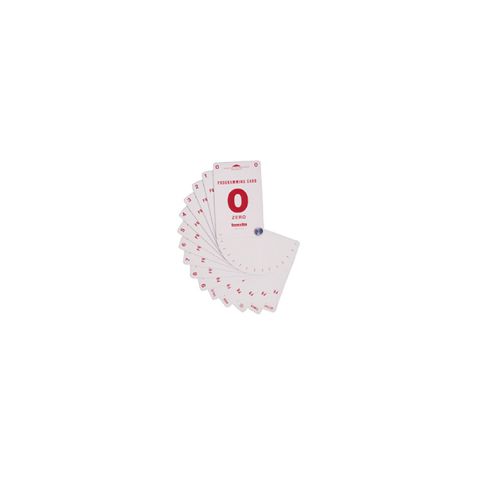
It is a special set of 15 program cards which are used for adding or voiding access cards, and programming other parameters in the SA Units. The cards are the same size as access cards, except that they are labeled with large numbers and functions. To use the program deck, the cards are placed on the touch plate in sequence to transmit programming commands to the reader.
Is Touch Card the same as proximity?
No, it is a magnetic technology; the card must be placed flat on the touch plate.
If Touch Card is magnetic, will it erase magnetic stripe cards in the user's wallet or purse?
Casual contact between a Touch Card and magnetic stripe cards is usually not a problem. If you keep a Touch Card in your wallet or purse, keep it separate from credit cards.
How can Touch Cards be used as a Photo ID Card?
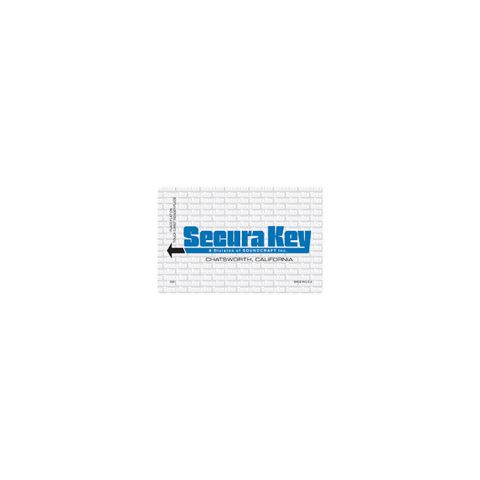
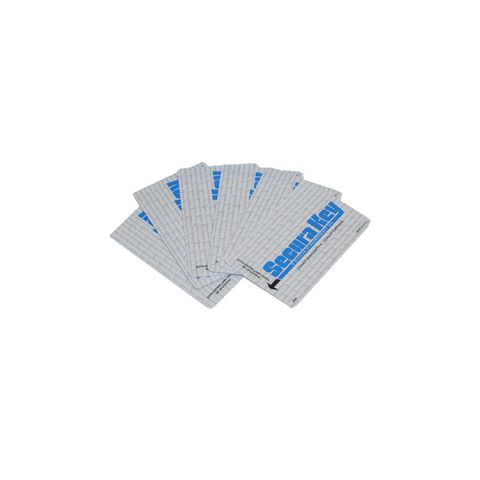
Touch Cards can be ordered with a Dual-Bond Photo Flap, a Photo Pouch, or with a Polished Surface (Video-Imaging Ready).
What is A Dual Bond Photo Flap?
Dual Bond uses a cold adhesive process which allows you to take a photographic print, stick it to the adhesive surface and press down a clear cover sheet over the photo. If Polaroid® film is used, the photo will bond to the plastic over time.
What is a Photo Pouch?
A photo pouch is a clear vinyl pouch laminated to the card, having one open end for insertion of a photo. The photo can be removed.
What is a Polished Finish Card? Why is it required for Imaging Systems?
It is an optional high-gloss finish card, as opposed to the standard matte finish card. It is available at a slight extra cost, and can be ordered on one side or both sides
Photo Imaging systems use a video camera, a PC with card imaging software, and a thermal dye sublimation printer, which can print employee photographs, company logos and other information directly on to the polished surface of a PVC access card. The standard matte finish is not acceptable for direct printing.
Does Secura Key sell photo ID Equipment?
No, but for film systems, we recommend the Polaroid ID-4 or ID-100 system, which allow you to photograph cardholders, and for direct print imaging systems we recommend systems by either Fargo Electronics or Ultra Electronics.
Can SA Series Access Units be mounted outdoors?
Yes (one of Secura Key's biggest selling points). The units have no slot, and no openings on the top, front or sides, and are frequently mounted on building exteriors or posts in parking lots with no protection. Proper installation is required - the reader mounting plate needs to be properly sealed to the mounting surface (Dow Corning RTV Silicone Sealant is recommended). SA Series products are also capable of withstanding extreme temperatures - from -40 to +70 C (-40 to 158F).
What components do I need to connect a 28SA-PLUS to a PC?
For a permanent connection, use the following: 5-conductor Shielded cable, 18 - 24 AWG (300 feet, maximum)
(Earth-ground the shield at one end only), DB-9 or DB25 Female Connector (depends on your computer) and Secura Key Software (or terminal emulation software). For a temporary connection, use: Secura Key Model CBLSA Cable Kit and Secura Key Software (or terminal emulation software)
Can I program a 28SA-PLUS with other than Secura Key software?
Any ANSI Compatible terminal software can be used to program a unit, but reports cannot be obtained, and programming cannot be saved.
Is Secura Key Software Windows Compatible?
SA-NET Database / Communications software is compatible with DOS, Windows 3.1 or Windows 95. SA-LINK Terminal Software can be run from DOS or Windows 95 DOS Shell, but not from the Windows 3.1 DOS Shell. Both programs are DOS applications.
Is Secura Key Software available for the Macintosh?
No; but you can use any Macintosh terminal software which is ANSI -compatible. (Consult your Macintosh dealer.)
What components do I need to connect 28SA-PLUS to a serial printer?
For a permanent connection, use the following: 5-conductor Shielded cable, 18 - 24 AWG (300 feet, maximum) (Earth-ground the shield at one end only) DB25 Female Connector
For a temporary connection, use: SecuraKey Model CBLSA Cable Kit
What components do I need to connect multiple 28SA-PLUS Units to a PC?
- SK-SS Smart Switch (for up to 4 readers)
- 8-conductor Shielded Cable (from PC to Smart Switch)
- 5-conductor Shielded Cable (from Smart Switch to reader) (Earth-ground the shield at one end only)
- DB25 Male Connectors (for all connections to Smart Switch)
- DB25 or DB9 Female Connectors (for connection to PC)
- SK-NET Software (requires Min 80386 w/2MB RAM. DOS 6.22, 15 MB HD Avail)
What components do I need to connect multiple 28SA-PLUS Units to a Serial Printer?
- SK-SS Smart Switch (for up to 4 readers)
- 4-conductor Shielded Cable (from Printer to Smart Switch)
- 5-conductor Shielded Cable (from Smart Switch to reader) (Earth-ground the shield at one end only)
- DB25 Male Connectors (for all connections to Smart Switch)
- DB25 Female Connector (for connection to PC)
What components do I need to connect a 28SA-PLUS to a Modem?
- 5-conductor Shielded Cable (from 28SA to Modem) (Earth-ground the shield at one end only)
- DB25 Male Connector (for connection to Modem)
- Modem: Hayes-compatible external dial-up type (e.g. US Robotics Sportster).
- Waterproof enclosure or indoor location for modem
- Dedicated telephone line
What components do I need to connect multiple 28SA-PLUS Units to a Modem?
- SK-SS Smart Switch (for up to 4 readers)
- 5-conductor Shielded Cable (from Modem to Smart Switch)
- 5-conductor Shielded Cable (from Smart Switch to reader) (Earth-ground the shield at one end only)
- DB25 Male Connectors (for all connections to Smart Switch)
- DB25 Male Connector (for connection to Modem)
- Modem: Hayes-compatible external dial-up type (e.g. US Robotics Sportster).
- Waterproof enclosure or indoor location for Modem
- Dedicated telephone line.
How many 28SA-PLUS readers can I connect to a PC?
Using SK-NET Software and 4-port Smart Switches connected in a tiered arrangement, up to 64 access units can be connected to a PC at a single location. SK-NET software can be used to communicate with unlimited additional 64-reader locations via modem.
Instructions
Instructions
Reviews
Reviews
There are no reviews yet. Be the first to Write a Review (requires login).
Shipping
Shipping
Shipping Expense Disclaimer: All orders are subject to confirmation. Additional shipping expenses, although rare, may apply due to weight, size, location, and/or other variables. Should your order require additional funds to cover the transportation of goods, you will be contacted prior to order processing for approval.
Parts for this product
You May Also Like
$1,361.74
$1,128.40
SecuraKeyNetworking Card Reader, Surface-mount Lexan Housing
#28SA-PLUS-SM
View More